
As digital payment volumes grow, businesses receive and make payments through multiple banks, payment gateways, UPI platforms, cards, and other channels. Every one of those channels produces its own record of the same transaction — a bank statement line, a gateway report, an ERP entry, a settlement file — and none of them are guaranteed to say exactly the same thing. Ensuring that every transaction is correctly recorded, matched, and settled becomes increasingly difficult when this matching is done by hand.
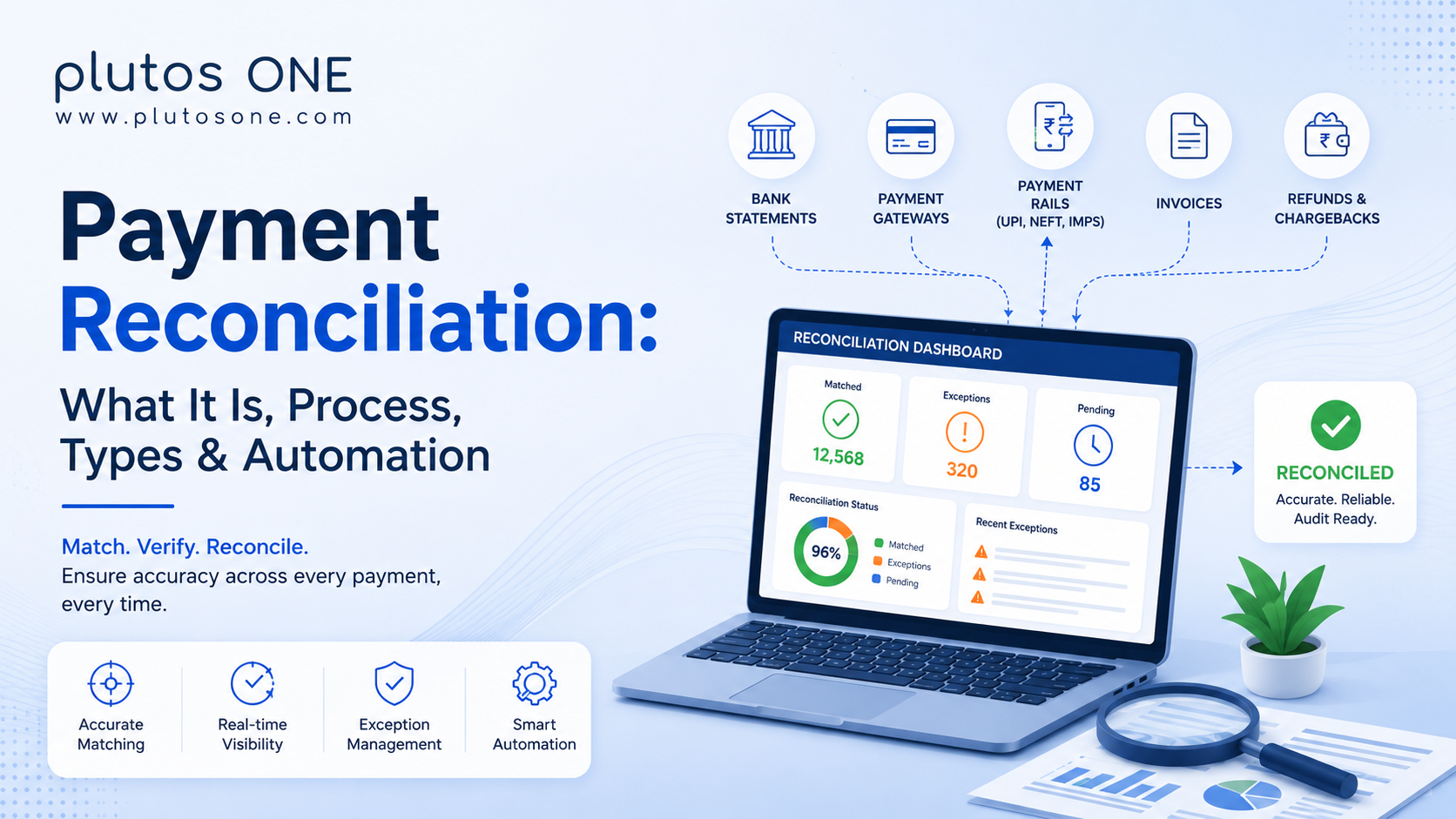
Payment reconciliation is the process of comparing payment and transaction records across different systems — bank statements, payment gateways, accounting records, and settlement reports — to confirm they agree, and to flag the ones that don't.
It sounds like a back-office chore. In practice, it's the control layer that tells a business whether the money it thinks it has is the money it actually has.
What Is Payment Reconciliation?
At its core, payment reconciliation means comparing two or more independent records of the same transaction and confirming they match — same amount, same reference, same status. When they don't match, that mismatch is a discrepancy, and someone has to find out why.
The records typically involved in a reconciliation exercise include:
-
Internal accounting records — what your own books say was billed or paid
-
Bank statements — what actually moved through a bank account
-
Payment gateway reports — what a gateway or aggregator recorded on its end
-
Transaction records — the raw log of requests, responses, and statuses
-
Settlement reports — what was actually credited after processing fees and adjustments
-
Invoices — what was billed and to whom
-
Refunds and chargebacks — money that moved backward, which needs its own matching logic
None of these systems talk to each other automatically by default. Reconciliation is the discipline — manual or automated — that brings these records together and identifies where they agree or differ.
Why Is Payment Reconciliation Important?
-
Accuracy — confirms that recorded revenue, expenses, and balances reflect what actually happened.
-
Error detection — catches duplicate charges, missed entries, and processing mistakes before they compound.
-
Cash-flow visibility — gives finance teams a real picture of what's actually settled versus what's still in transit.
-
Faster financial closing — continuous reconciliation reduces the work required during month-end closing.
-
Fraud and error identification — unexplained mismatches can highlight processing errors or potentially fraudulent transactions.
-
Better reporting — leadership decisions are only as good as the numbers behind them.
-
Audit readiness — a documented, matched trail provides a clearer record for audits and compliance reviews.
How Does Payment Reconciliation Work?
At a structural level, most reconciliation processes — regardless of industry or scale — follow the same underlying flow:
-
Payment initiated — a customer or business triggers a transaction through a bank, gateway, or payment app.
-
Transaction recorded — the payment system logs the attempt with a reference ID, amount, and timestamp.
-
Payment processed — the transaction moves through the relevant rail, such as UPI, NEFT, card networks, or BBPS, and returns a status.
-
Settlement — funds move between the relevant banking partners, often on a different timeline from the transaction itself.
-
Records collected — bank statements, gateway reports, settlement files, and internal ledgers are brought together.
-
Transactions matched — each record is compared against its counterpart across systems, usually using a reference ID or transaction identifier.
-
Exceptions identified — anything that doesn't match cleanly — a missing entry, mismatched amount, or duplicate — is flagged for review.
-
Reconciled — matched transactions are marked closed, while exceptions move into an investigation and resolution workflow.
The exact process can vary by business and payment setup, but the core objective remains the same: collect the relevant records, match transactions, identify exceptions, and resolve discrepancies.
What Records Are Used in Payment Reconciliation?
Payment initiated — a customer or business triggers a transaction through a bank, gateway, or payment app.
Transaction recorded — the payment system logs the attempt with a reference ID, amount, and timestamp.
Payment processed — the transaction moves through the relevant rail, such as UPI, NEFT, card networks, or BBPS, and returns a status.
Settlement — funds move between the relevant banking partners, often on a different timeline from the transaction itself.
Records collected — bank statements, gateway reports, settlement files, and internal ledgers are brought together.
Transactions matched — each record is compared against its counterpart across systems, usually using a reference ID or transaction identifier.
Exceptions identified — anything that doesn't match cleanly — a missing entry, mismatched amount, or duplicate — is flagged for review.
Reconciled — matched transactions are marked closed, while exceptions move into an investigation and resolution workflow.
Reconciliation becomes more complex as records are spread across different systems, formats, and update cycles.
Bank Statements
The primary record of what actually moved in or out of a bank account. However, bank records may not always carry a direct reference to the original invoice or order.
Payment Gateway Reports
Show transaction status from the gateway's perspective — authorised, captured, failed, or refunded — which may not yet reflect actual bank settlement.
Transaction Records
The internal log of payment attempts processed by a business's systems, regardless of outcome.
Settlement Reports
Show what was actually credited after fees, holds, adjustments, or other deductions.
Invoices & Accounting Records
The business's own record of what should have been billed and collected, which reconciliation connects to actual payment activity.
Refund & Chargeback Records
Money moving backward needs to be matched against the original transaction it reverses.
Reconciliation becomes difficult when these records don't share a common format, reference number, or update frequency — which is where automated and API-based reconciliation can help.
Types of Payment Reconciliation
Payment reconciliation can take different forms depending on the payment channel, business model, and financial workflow involved.
Bank Reconciliation
Bank reconciliation involves comparing transactions recorded in a bank statement with the business's internal accounting records. It helps identify transactions that may have been recorded internally but have not yet appeared in the bank, as well as bank transactions that have not yet been reflected in the company's books.
Payment Gateway Reconciliation
Payment gateway reconciliation matches transactions recorded by a payment gateway with the business's internal orders or payment records. It becomes particularly important when transaction status and actual settlement occur at different stages.
Settlement Reconciliation
Settlement reconciliation focuses on comparing processed transactions with the amount that was actually settled. Differences can occur because of processing fees, adjustments, refunds, holds, or timing differences.
Invoice Reconciliation
Invoice reconciliation matches invoices raised by a business with payments received. This is particularly important for accounts receivable teams that need to determine which invoices have been paid, partially paid, or remain outstanding.
B2B Payment Reconciliation
B2B payment reconciliation connects different stages of a business transaction, including purchase orders, invoices, payments, and settlement records. It becomes increasingly important when enterprises manage large volumes of supplier and customer transactions across multiple systems.
UPI & Digital Payment Reconciliation
High-volume digital payment channels such as UPI, cards, wallets, and other payment methods generate large numbers of transaction records. Reconciliation helps match these transactions with the business's internal systems and settlement records.
Enterprise Payment Reconciliation
Large enterprises may need to reconcile transactions across multiple banks, legal entities, payment channels, accounting systems, and business units. In these environments, reconciliation becomes an ongoing infrastructure requirement rather than a periodic finance activity
Payment Reconciliation vs Settlement: What's the Difference?
These two terms are often used interchangeably, but they describe different steps in the payment lifecycle.
Settlement moves the money. Reconciliation verifies where the money came from, where it went, and whether the records agree.
A transaction can settle correctly and still fail reconciliation if the records describing it don't match. This is why both processes are important.
How to Perform Payment Reconciliation: Step-by-Step
Step 1: Collect transaction data. Pull transaction records from internal systems, including orders, invoices, and payment attempts.
Step 2: Collect bank and settlement records. Gather bank statements, gateway reports, and settlement files covering the same period.
Step 3: Standardise the data. Normalise formats, currencies, and reference fields so records from different systems can be compared.
Step 4: Match transactions. Compare records using transaction IDs, reference numbers, amounts, and dates.
Step 5: Identify exceptions. Flag missing entries, amount mismatches, duplicates, or unexplained transactions.
Step 6: Investigate discrepancies. Trace each exception back to its source, such as a timing difference, fee deduction, failed transaction, or genuine error.
Step 7: Make corrections. Adjust records, initiate refunds or reversals, or escalate unresolved discrepancies.
Step 8: Close and document the reconciliation. Record what was matched, corrected, and left open for future resolution.
Common Payment Reconciliation Challenges
High Transaction Volumes
Manual matching that works at lower transaction volumes becomes increasingly difficult as the number of transactions grows.
Multiple Payment Channels
Every additional bank, gateway, or payment rail can introduce another data format and reconciliation workflow.
Timing Differences
A transaction can be complete on one system while still pending on another. Settlement may also happen on a different timeline from transaction processing.
Failed & Pending Transactions
Failed and pending transactions require a separate resolution workflow because payment status, reversal, and settlement may occur at different stages.
Refunds & Chargebacks
Reversals need to be matched against their original transactions rather than treated as unrelated entries.
Partial Payments
When an invoice is paid in instalments or partially settled, reconciliation needs to support more complex matching relationships.
Duplicate Transactions
The same payment appearing twice through a retry, network issue, or manual re-entry needs to be identified before it is recorded incorrectly.
Missing Transaction Records
A transaction appearing in one system but not another can be difficult to diagnose because there is no corresponding record to compare.
Different Data Formats
Bank statements, gateway reports, and ERP exports may use different structures, requiring data normalisation before matching.
Manual Data Entry Errors
Manual entry creates opportunities for incorrect amounts, reference numbers, or transaction details to break an otherwise valid match.
Manual vs Automated Payment Reconciliation
Manual reconciliation can work for lower transaction volumes, but it becomes increasingly difficult to scale as payment volumes, channels, and systems increase.
What Is Automated Payment Reconciliation?
Automated reconciliation uses software, rule engines, or matching APIs to compare records across systems without requiring people to manually cross-reference spreadsheets.
How Automated Reconciliation Works
Data Collection → Data Normalisation → Transaction Matching → Exception Detection → Resolution → Reporting
Records are collected from source systems, standardised into a common format, matched using defined rules, and exceptions are routed for review.
What Can Be Automated?
-
Transaction matching
-
Settlement matching
-
Invoice matching
-
Duplicate detection
-
Exception identification
-
Status updates
-
Reports and reconciliation dashboards
Benefits of Automated Payment Reconciliation
Improved Accuracy
Reduces transcription and cross-referencing errors associated with manual matching.
Faster Reconciliation
Automated matching can process large transaction volumes much faster than manual reconciliation.
Reduced Operational Costs
Finance teams spend less time on repetitive matching and more time investigating exceptions and analysing financial data.
Better Cash-Flow Visibility
Reconciliation status can become a more continuous view rather than a periodic snapshot.
Faster Error Detection
Exceptions can be surfaced sooner rather than being discovered during month-end reconciliation.
Easier Scaling
Adding another bank, gateway, or business unit does not have to create the same increase in manual reconciliation effort.
Better Audit & Compliance Trails
Automated systems can record matches, exceptions, and resolutions, creating a more structured audit trail.
Faster Financial Closing
Continuous reconciliation can reduce the volume of unresolved discrepancies during financial close.
API-Based Payment Reconciliation
Automation solves the process; APIs solve the connectivity — how a payment system, reconciliation engine, and accounting or ERP system exchange data.
How API-Based Reconciliation Works
Payment System → API → Reconciliation Engine → ERP/Accounting System
Instead of exporting files from each system and manually importing them elsewhere, an API-based setup can exchange transaction and settlement data directly, match it against expected records, and send reconciliation results to connected systems.
What Data Can APIs Exchange?
-
Transaction ID
-
Payment status
-
Amount
-
Timestamp
-
Customer or business reference
-
Settlement status
-
Refund status
-
Transaction type
Benefits of API-Based Reconciliation
-
Automated data transfer between systems
-
Reduced manual downloads and file exports
-
Faster matching
-
Better connectivity between payment, banking, and accounting systems
-
Scalable reconciliation across additional channels
Real-Time Payment Reconciliation: How Does It Work?
Traditional reconciliation may operate on scheduled cycles, while real-time or near-real-time reconciliation can process transaction information as payment data becomes available.
Transaction → Payment Status → Data Received → Match → Confirmation → Action
Once transaction status is available, it can be compared against the expected record and either confirmed or flagged for review.
This can be particularly useful for:
-
Instant payment confirmation
-
Digital commerce
-
Bill payments
-
High-volume transactions
-
Banking platforms
-
Payment aggregators
-
Time-sensitive transactions
Payment Reconciliation for Banks & Fintechs
Why Banks Need Automated Reconciliation
Banks process large transaction volumes across multiple payment rails, making scalable reconciliation important for maintaining accurate transaction and settlement records.
Reconciliation for Fintech Platforms
Fintechs may connect multiple banks, payment rails, merchants, and end customers, creating reconciliation requirements across systems they do not directly control.
Multi-Channel Payment Reconciliation
A platform supporting UPI, net banking, cards, and bill payments needs reconciliation logic that can handle different transaction formats and processing timelines.
Reconciliation Across Multiple Banking Partners
Working with several banking partners can mean managing different settlement cycles, reports, and transaction formats.
Centralised Reconciliation
Bringing these records into one operational view can make reconciliation more manageable as banks and fintechs scale.
Example: Reconciliation in Banking Connect
Banking Connect supports interoperable net-banking infrastructure, where transaction processing, monitoring, and reconciliation need to work across participating banks and payment aggregators. For more on the platform and its architecture, see the complete Banking Connect guide.
Payment Reconciliation for Enterprises
For enterprises, reconciliation can involve several financial workflows:
-
Accounts receivable — matching customer payments against invoices raised
-
Accounts payable — matching outgoing payments against vendor invoices and purchase orders
-
Invoice reconciliation — matching invoice-to-payment across the transaction lifecycle
-
Supplier payments — reconciling what was owed against what was paid and settled
-
Customer collections — tracking outstanding receivables and matching incoming payments
-
ERP integration — connecting reconciliation data with financial systems
-
Multiple bank accounts — reconciling across accounts operated by the enterprise
-
Multiple payment channels — managing reconciliation across different payment methods
Payment Reconciliation for Bharat Connect & B2B Payments
B2B payments add a layer that consumer bill payments don't have to deal with: reconciliation has to tie together an invoice, the purchase order behind it, and the payment that eventually settles it — not just a payment against a bill.
Invoice → Payment → Settlement → Reconciliation
This is precisely the gapBharat Connect for Business (BCB) is built to close. Because invoices, purchase orders, and payments on BCB carry linked references through the transaction lifecycle, reconciliation covers:
-
Invoice-to-payment matching happening automatically instead of manually
-
Payment status visible in real time rather than inferred from a bank statement
-
Settlement records tied back to the specific invoice they're settling
-
Collections tracked against outstanding invoices without a separate spreadsheet exercise
-
Outstanding invoices visible centrally instead of scattered across email threads and PDFs
-
ERP and accounting integration so reconciled data lands directly in the systems finance teams already use
For the full picture of how BCB structures invoicing, purchase orders, and collections — not just reconciliation — see thecomplete guide to Bharat Connect for Business.
Centralised Payment Reconciliation
Once a business operates across multiple banks, gateways, or payment rails, reconciliation can become an infrastructure challenge.
The goal is to bring:
Banks + Payment Gateways + Payment Rails + ERP + Accounting + Settlement Data
into one operational view instead of running separate reconciliation processes for each channel.
A centralised reconciliation layer can provide:
-
A single source of truth for transaction and settlement status
-
Centralised monitoring across payment channels
-
Standardised reconciliation logic
-
Exception management across systems
-
Better reporting
-
Reduced operational complexity as new banks, channels, or entities are added
A single source of truth for transaction and settlement status
Centralised monitoring across payment channels
Standardised reconciliation logic
Exception management across systems
Better reporting
Reduced operational complexity as new banks, channels, or entities are added
Payment Reconciliation Best Practices
-
Reconcile frequently — daily or near-real-time reconciliation can reduce the volume of unresolved transactions.
-
Automate repetitive matching — reserve manual review for genuine exceptions.
-
Create clear exception rules — define what requires investigation and what can be treated as an expected timing difference.
-
Maintain standard transaction identifiers — consistent reference numbers make automated matching easier.
-
Integrate payment and accounting systems — reduce manual export and import steps.
-
Monitor failed and pending transactions — give these transactions a defined resolution path.
-
Track refunds and chargebacks against their originating transactions.
-
Maintain an audit trail documenting matches, discrepancies, and resolutions.
-
Use reconciliation dashboards for better operational visibility.
-
Continuously improve matching rules as new payment channels and transaction scenarios are introduced.
Payment Reconciliation Software: What Should You Look For?
Before evaluating any specific payment reconciliation system, it helps to know what you're actually comparing. Look for:
-
API integrations with the banks, gateways, and systems you actually use
-
Multi-channel support — one platform handling every payment rail, not one tool per channel
-
Automated matching with configurable rules, not just a fixed template
-
Real-time or near-real-time updates, not just scheduled batch runs
-
Exception management workflows, not just exception lists
-
Settlement reconciliation, not only transaction-level matching
-
ERP integration so reconciled data reaches accounting without a manual step
-
Reporting that's usable by finance teams, not just engineers
-
Audit trails documented automatically as reconciliation runs
-
Scalability to handle transaction volume growth without a re-platform
-
Security appropriate to the sensitivity of payment and settlement data
How plutos ONE Helps Simplify Payment Reconciliation
plutos ONE provides reconciliation capabilities across its payment infrastructure solutions, helping banks, fintechs, and enterprises bring transaction monitoring, reconciliation, and exception management into a more centralized operational workflow.
Plutos One Orbit — the AI-enabled command centre built for the Bharat Connect ecosystem — includes a dedicated Recon Module as one of its core operational layers, alongside transaction monitoring, compliance tracking, and complaint management.
That gives banks, fintechs, and enterprises:
-
Centralised reconciliation across every Bharat Connect, Banking Connect, and BCB transaction in one operational view
-
Payment infrastructure connectivity across multiple banks, payment rails, and channels without a separate reconciliation process for each
-
API-based integration connecting payment systems directly to the reconciliation engine and onward into ERP or accounting systems
-
Transaction monitoring that surfaces exceptions as they happen rather than at month-end
-
Exception management workflows built into the same dashboard used for onboarding, compliance, and ticketing
-
Enterprise-scale payment operations support across BOU, COU, BCB, and IBMB integrations
-
Integration with existing systems rather than requiring a rebuild of a business's payment stack