
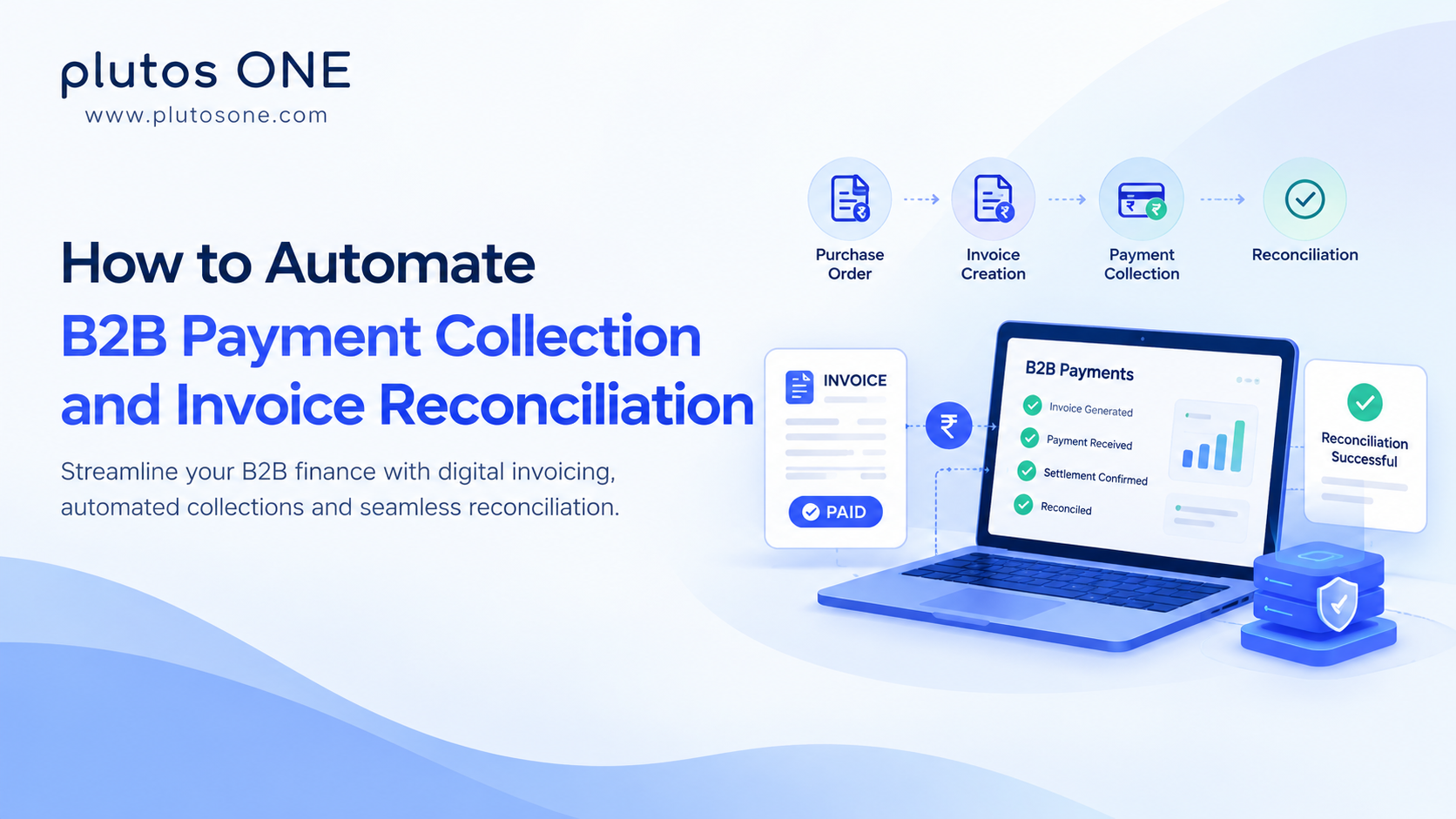
B2B payments involve more than transferring money from one business to another. Finance teams must manage purchase orders, issue invoices, follow up on due payments, track transaction status, verify settlement records, and reconcile payments against outstanding invoices.
When these activities rely on spreadsheets, emails, manual bank statement checks, and disconnected software, the process can become difficult to manage as transaction volumes grow. Payments may arrive without clear invoice references, purchase orders may not match invoice details, and finance teams may spend hours investigating discrepancies.
Automating B2B payment collection and invoice reconciliation helps businesses create a more structured process for managing transactions from invoice creation to payment tracking and reconciliation. Digital invoicing, automated reminders, standardised transaction references, API integrations, and rule-based matching can reduce repetitive work and improve financial visibility.
For businesses in India, Bharat Connect for Business (BCB) provides an interoperable framework for B2B transactions, including business onboarding, purchase order management, invoice workflows, payment and settlement, transaction-status checks, and reconciliation-related capabilities.
This guide explains how B2B payment collection and invoice reconciliation automation works, the processes businesses can automate, common implementation challenges, and how Bharat Connect for Business can support a connected B2B transaction workflow.
What Is B2B Payment Collection and Invoice Reconciliation Automation?
B2B payment collection automation uses digital systems to manage the process of collecting payments from business customers. Depending on the implementation, this can include invoice delivery, payment reminders, due-date alerts, payment tracking, and collection-status monitoring.
Invoice reconciliation automation focuses on matching invoices with payment and settlement records. It helps finance teams identify which invoices have been paid, which remain outstanding, and which transactions require further investigation.
Together, these activities connect the accounts receivable workflow:
Business onboarding → Purchase order → Invoice creation → Invoice acknowledgement → Payment → Settlement → Reconciliation
For example, a manufacturer supplies products to a distributor. The distributor raises or confirms a purchase order, and the supplier creates an invoice. The invoice is delivered through the relevant digital workflow, and its status can be tracked. When the buyer makes a payment, the available transaction details can help link the payment to the invoice and support reconciliation.
If the transaction information is incomplete or the amount does not match, the record may need further investigation before the invoice is marked as reconciled.
The objective is to automate repeatable steps while maintaining appropriate controls over financial records, payment confirmation, and exception handling.
Why Do Businesses Need to Automate B2B Collections?
Many businesses already use digital payment methods. The challenge is connecting payment activity with the invoices, purchase orders, customers, and accounting records involved.
1. Manual invoice follow-ups
Collections teams often spend time reminding customers about upcoming due dates, checking payment commitments, and following up on overdue invoices.
Automated reminders and due-date alerts can help businesses manage routine follow-ups more consistently.
2. Disconnected purchase orders and invoices
When purchase orders and invoices are exchanged through separate systems, teams may need to compare details manually. This can delay invoice acknowledgement and payment processing.
Digital purchase order management can provide a shared view of purchase order creation, confirmation, rejection, and tracking.
3. Payments without clear invoice references
A payment may appear in a bank statement without enough information to identify the invoice it settles. Finance teams then need to compare transaction details or contact the customer.
Consistent invoice identifiers and linked transaction references can make matching easier, depending on the payment and integration workflow.
4. Fragmented payment and settlement information
Payment initiation, transaction success, and settlement confirmation are not necessarily the same event. If teams rely on different reports or portals, it can be difficult to establish the status of a transaction.
A connected transaction workflow can help teams monitor available payment and settlement statuses in one place.
5. Time-consuming reconciliation
Manually matching invoices, payments, and settlement records can delay financial reporting and increase the workload involved in month-end closing.
Automated matching and reconciliation dashboards can help identify transactions that are ready to be reconciled and those requiring investigation.
6. Limited visibility into receivables
When invoice and payment information is spread across spreadsheets, emails, and banking systems, businesses may struggle to identify overdue invoices or understand their outstanding receivables.
Centralised transaction-status information can help finance teams monitor collections and investigate exceptions more efficiently.
For a deeper explanation of reconciliation methods, readPayment Reconciliation: What It Is, Process, Types & Automation.
How Does Automated B2B Payment Collection Work?
An automated collection workflow connects the invoice lifecycle with payment tracking and reconciliation. The exact steps depend on the business's operating model, technology, and payment arrangements.
Step 1: Onboard the businesses
For a BCB-based workflow, the relevant businesses can be registered on the network, with B2B ID registration, entity verification, and activation supported through the applicable onboarding process.
Business onboarding establishes the identities of participating buyers and sellers before they exchange transactions through the network.
Step 2: Connect buyers and sellers
The relevant buyer and seller entities can be discovered and linked through supported BCB business-search capabilities.
This creates a structured digital relationship between counterparties instead of relying entirely on manually maintained vendor lists and email exchanges.
Step 3: Create and manage purchase orders
Where the buyer follows a purchase-order-based process, the purchase order can be created, edited, confirmed, rejected, and tracked through supported workflows.
Keeping purchase order information accessible can help businesses compare what was ordered with what is invoiced.
Step 4: Generate and deliver invoices
The seller creates an invoice using the relevant business and transaction details. Where configured, product catalogue information, including SKUs, pricing, and item-level data, can support invoice generation.
BCB invoice-management capabilities cover invoice generation, delivery, acknowledgement, and reconciliation, with the product page specifying a 24-hour window for the invoice workflow.
Step 5: Send payment reminders
Automated reminders and due-date alerts help businesses manage payment follow-ups.
Reminder schedules should be aligned with contractual payment terms and the business's collection policy. The actual reminder behaviour depends on the configured implementation.
Step 6: Track payments and settlement
The business monitors the available transaction-status information and payment or settlement records.
BCB supports different payment and settlement workflows, including platform-settled transactions, external relay, and manual UTR entry. These options accommodate different transaction arrangements; they do not mean every payment follows the same settlement path.
Step 7: Reconcile invoices and payments
Invoice and transaction information can be used to support invoice-to-payment matching and identify outstanding or unmatched records.
Where the system cannot establish a reliable match, the transaction should be flagged for review instead of automatically closing the invoice.
Step 8: Review exceptions and update records
Finance teams investigate discrepancies, verify the relevant payment or settlement evidence, and update records according to the organisation's accounting controls.
Where integrations are available, reconciliation information can be exchanged with the ERP or accounting system to reduce duplicate data entry.
What Is Automated Invoice Reconciliation?
Automated invoice reconciliation uses predefined rules and available transaction data to compare invoices against payment, settlement, and accounting records.
In a manual process, an accounts receivable executive may download a bank statement, open an invoice spreadsheet, search for matching amounts, and update each invoice individually.
An automated workflow can compare transaction references, invoice identifiers, customer details, amounts, and other available fields. Records that satisfy the configured rules can be matched, while discrepancies are flagged for investigation.
Types of invoice and payment reconciliation
Invoice-to-payment reconciliation: Matches incoming payments with outstanding invoices.
Bank reconciliation: Compares bank statement entries with the organisation's accounting records.
Settlement reconciliation: Compares expected settlement amounts with the settlement records provided by the relevant payment or banking system.
Purchase order-to-invoice reconciliation: Compares invoice details against purchase orders and, where applicable, delivery or receipt records.
Accounts receivable reconciliation: Compares customer balances, invoices, credit notes, and payments to determine outstanding receivables.
These processes are related but not identical. A payment may be recorded without being matched to an invoice, and an invoice may be matched to a payment while settlement verification remains pending.
How to Automate B2B Payment Collection and Invoice Reconciliation: Step-by-Step
Businesses should first map their current processes, identify the biggest sources of manual work, and define how success will be measured.
Step 1: Map the current workflow
Document how businesses are onboarded, purchase orders are exchanged, invoices are created, payments are collected, and transactions are reconciled.
Identify where teams need to enter the same data more than once or switch between multiple systems.
Establish a baseline using indicators such as:
-
Average invoice-to-payment collection time
-
Number of overdue invoices
-
Percentage of transactions requiring manual reconciliation
-
Number of unmatched transactions
-
Time taken to resolve reconciliation exceptions
-
Time required for month-end financial closing
Step 2: Standardise business and transaction data
Define consistent formats for business identifiers, invoice numbers, purchase order references, transaction references, amounts, due dates, and payment statuses.
Where possible, maintain a unique invoice identifier and ensure it remains available throughout the transaction workflow.
Also define how to handle partial payments, credit notes, refunds, duplicate records, and payments that cover multiple invoices.
Step 3: Select the appropriate transaction workflow
Determine which activities should be automated first.
Common priorities include:
-
Digital business onboarding
-
Buyer and seller discovery
-
Purchase order management
-
Invoice creation and acknowledgement
-
Automated reminders and due-date alerts
-
Payment and settlement tracking
-
Invoice reconciliation
-
Exception reporting
Businesses using Bharat Connect for Business should confirm which of these capabilities are relevant to their use case and which participating systems or integrations are required.
Step 4: Choose the right integration approach
Identify the systems that need to exchange information, including ERP software, accounting platforms, business portals, banks, and payment systems.
An organisation may integrate through APIs or use available white-labelled buyer and seller screens, depending on its technical capabilities and operating model.
BCB implementations can use the relevant APIs for onboarding, purchase orders, invoices, payments, and reconciliation. The precise integration scope should be defined before development begins.
Step 5: Configure invoice and reconciliation rules
Define how invoice records should be matched with payment and settlement information.
Rules may consider invoice references, amounts, transaction IDs, customer details, payment dates, and settlement records.
Avoid automatically marking transactions as reconciled when critical information is missing or conflicting. Establish clear thresholds for manual review.
Step 6: Set up exception management
Create a process for investigating transactions that do not meet the matching rules.
Examples include:
-
Missing invoice reference: Identify the payer or request the information required to establish the match.
-
Amount mismatch: Investigate partial payments, deductions, credit notes, or incorrect transfers.
-
Duplicate transaction record: Check whether the record represents a duplicate notification or a separate payment.
-
Pending transaction: Wait for the appropriate status confirmation and follow the relevant escalation process.
-
Settlement discrepancy: Compare transaction information with the available settlement records.
Assign ownership and resolution timelines to reduce the risk of unresolved exceptions accumulating.
Step 7: Connect the workflow with ERP or accounting systems
Where supported, integrate transaction and reconciliation information with the organisation's existing financial systems.
This can reduce duplicate data entry and help keep invoice balances and accounting records aligned.
Test how the integration handles failed updates, duplicate notifications, reversals, corrected records, and delayed status messages.
Step 8: Test the end-to-end process
Before going live, test common and exceptional transaction scenarios, including successful payments, failed transactions, delayed status updates, partial payments, duplicate records, refunds, and amount mismatches.
Verify that:
-
Business and transaction records are created correctly.
-
Purchase orders and invoices move through the expected statuses.
-
Payment and settlement states are interpreted correctly.
-
Reconciliation rules identify matches and exceptions as intended.
-
Records can be traced through the workflow.
-
Connected systems handle duplicate or failed updates safely.
For a BCB implementation, plan the required testing and user acceptance testing (UAT) with the relevant technology and network participants.
Step 9: Monitor performance after launch
Track collection and reconciliation metrics regularly. Review exception categories, reminder effectiveness, integration errors, and the accuracy of matching rules.
Use the findings to improve the process over time rather than treating automation as a one-time software installation.
The right solution depends on the business's transaction volume, accounting setup, payment arrangements, and integration requirements. For network-based B2B transactions, onboarding and business discovery can help establish verified business identities and connect buyers with sellers. Look for capabilities to generate, deliver, acknowledge, and track invoices throughout the transaction lifecycle. A digital workflow should make it possible to create, edit, confirm, reject, and track purchase orders where the business process requires them. Configurable reminders and due-date alerts can help collections teams manage follow-ups more consistently. Evaluate whether the solution supports the payment and settlement arrangements your business actually uses. Check how external payments are recorded and how settlement information becomes available. Transaction-status visibility helps businesses determine whether a transaction is pending, successful, failed, or at another defined stage, subject to the status information supplied by the connected system. Look for invoice-to-payment matching, visibility into outstanding invoices, reconciliation dashboards, and tools to identify unmatched transactions. APIs can connect transaction workflows with existing business systems. Confirm the available API modules, documentation, testing requirements, and integration responsibilities. For banks, fintechs, platforms, and technology partners serving MSMEs, white-labelled portals can provide transaction interfaces under the organisation's own branding. Assess access controls, data protection, auditability, reporting, technical support, and integration maintenance. These requirements should be evaluated as part of the overall implementation, not assumed from automation alone. Bharat Connect for Business is designed to support interoperable B2B transaction workflows involving business onboarding, purchase orders, invoices, payments, and reconciliation-related activities. Instead of treating every invoice and payment as a disconnected record, a BCB implementation can help businesses manage structured transaction information across participating entities and supported systems. BCB supports B2B ID registration, entity verification, and entity activation. This provides the onboarding foundation for businesses participating in the network. The product catalogue supports SKU, pricing, and item-level information for invoice generation. Where relevant, structured catalogue data can help businesses maintain consistent item information in their invoicing workflows. The listed invoice-management capabilities include generating, delivering, acknowledging, and reconciling invoices within the stated 24-hour window. Businesses should confirm the precise acknowledgement rules, workflow timing, and applicable conditions for their implementation. BCB supports automated payment reminders and due-date alerts, helping businesses manage invoice follow-ups through a more structured process. The business-search capability allows users to discover and link buyer and seller entities on the BCB network. This can support a more structured process for connecting business counterparties. BCB supports creating, editing, confirming, rejecting, and tracking purchase orders bilaterally. These workflows can help buyers and sellers manage purchase order status and connect relevant transaction information with subsequent invoicing. The product page identifies three payment and settlement workflows: Platform-settled transactions External-relay transactions Manual UTR-entry flows These options matter because businesses may have different payment arrangements. Before implementation, confirm how each applicable workflow records payment information, settlement status, and reconciliation details. BCB provides real-time status checks across BCB transaction types, according to the product page. The available status information can help businesses monitor transactions and investigate records that have not reached the expected stage. BCB also lists invoice-linked financing requests routed to financiers. For eligible use cases, this can connect invoice workflows with financing requests. Financing availability, eligibility, and approval remain subject to the relevant financier's criteria and process. Together, these capabilities provide a framework for connecting business onboarding, purchase orders, invoices, payments, and reconciliation-related activities. The exact operational outcome depends on the selected workflow, implementation, and participating systems. Plutos ONE is a certified Technology Service Provider for Bharat Connect for Business. Its BCB solution is designed to help businesses and technology partners integrate supported B2B transaction workflows without having to build every component independently. ThePlutos ONE BCB solution highlights four key areas of support. Plutos ONE offers pre-built APIs covering BCB modules such as onboarding, purchase orders, invoices, payments, and reconciliation. These APIs provide an integration layer for technology teams implementing the relevant BCB workflows. Businesses should confirm the specific API scope and integration requirements for their use case. Plutos ONE states that it manages the NBBL certification process on behalf of its partners, including test cases, UAT coordination, and submission. This support can help organise the testing and certification process. Applicable requirements and final approvals remain subject to the relevant network process. Plutos ONE offers production-ready buyer and seller portals for supported workflows, including invoice creation, purchase order management, reconciliation dashboards, and payment tracking. White-labelled screens can be useful for organisations that want to provide BCB functionality through their own branded business interfaces. Our dedicated integration relationship manager during onboarding, 30-day post-launch hypercare, and service-level agreements for issue resolution. It also states that Plutos ONE handles new NBBL phase updates as part of its ongoing support model. Confirm the applicable support terms and scope when planning an implementation. Before choosing a BCB implementation, businesses should clarify: Which onboarding, purchase order, invoice, payment, and reconciliation capabilities are required? Will the organisation use APIs, white-labelled screens, or a combination of both? Which payment and settlement workflows apply? How will invoice and payment information connect to existing ERP or accounting systems? How will exceptions, disputes, and settlement discrepancies be handled? What testing, certification, support, and ongoing maintenance are required? Software can reproduce existing problems if the workflow has not been clearly defined. Map the process first and remove unnecessary manual steps. Inconsistent identifiers make reliable reconciliation more difficult. Establish data standards across invoices, purchase orders, payments, and accounting records. A payment initiation, a successful transaction response, and completed settlement are different events. Use the appropriate status for each accounting decision. Some records will remain ambiguous because of missing information, partial payments, or discrepancies. Maintain exception handling and require review where necessary. Businesses may use different settlement flows. Confirm how each applicable flow records transaction references, UTR information, and settlement status. If teams still need to manually transfer reconciliation results into accounting software, the process may retain avoidable manual work. Test edge cases before launch and define responsibilities for integration failures, status mismatches, and post-launch issues. Faster processing is useful, but success should also be measured through matching accuracy, unresolved exceptions, collection performance, and accounting reliability. Set a baseline before implementation and measure results using consistent definitions. Define each metric clearly. For example, the automated match rate should specify which transactions are eligible for automatic matching and how partial or ambiguous matches are counted. Automation can reduce administrative work and improve visibility, but it does not guarantee faster payments. Collection outcomes also depend on payment terms, customer behaviour, disputes, and the overall credit-control process. Automating B2B payment collection and invoice reconciliation is about connecting the activities that take place around a business transaction: onboarding, purchase orders, invoices, payment tracking, settlement, and financial reconciliation. A practical approach starts with standardised business and transaction data, clearly defined collection workflows, and reliable matching rules. Businesses can then integrate the relevant systems, automate routine reminders, establish exception-handling processes, and measure results against a consistent baseline. For organisations in India looking to connect B2B invoicing, purchase orders, collections, and reconciliation-related workflows, Bharat Connect for Business is an option worth evaluating. Plutos ONE offers BCB APIs, white-labelled buyer and seller screens, certification support, and ongoing technical support for the implementation of supported BCB workflows. Explore Bharat Connect for Business by Plutos ONE to learn more about the available capabilities and integration options.Key Features to Look for in a B2B Payment Automation Solution
Business onboarding and counterparty discovery
Digital invoice management
Purchase order management
Automated reminders and notifications
Payment and settlement workflows
Transaction-status checks
Invoice reconciliation
API integration
White-labelled buyer and seller screens
Security, reporting, and support
How Bharat Connect for Business Supports B2B Payment Collection and Invoice Reconciliation
1. Business onboarding
2. Product catalogue management
3. Invoice management
4. Reminders and notifications
5. Search and add business
6. Purchase order management
7. Payment and settlement
8. Transaction-status checks
9. Supply chain financing
How Plutos ONE Helps Businesses Implement BCB
Ready-to-consume APIs
End-to-end certification support
White-labelled buyer and seller screens
Ongoing technical support
What should businesses evaluate before integrating?
Common Mistakes to Avoid When Automating B2B Collections
Automating an inefficient process
Using inconsistent invoice and transaction references
Confusing payment status with settlement confirmation
Automatically closing every transaction
Ignoring external settlement arrangements
Failing to connect financial systems
Overlooking testing and operational support
Measuring only processing speed
How to Measure the Success of B2B Payment Automation
Conclusion